Our FAQs


- 7 April 2026
- Amy at pirkx
-
 3 minutes read
Our FAQs
Answering our most frequently asked questions...

Managing your pirkx membership should feel simple and straight forward. For this blog, we have pulled together answers to some of the most common questions about your pirkx account, payments and member management.
How do I receive information about pirkx?
To receive updates and marketing communications from pirkx, make sure your marketing comms preference is switched on in your account settings. You can also visit www.pirkx.com to explore our latest benefits, updates, and services.
How do I cancel my pirkx membership?
If you’d like to cancel your membership, please make sure you unrenew or unsubscribe at least 4 working days before your next scheduled payment. This gives us enough time to process your request before the next billing cycle begins.
How do I change my bank account details for my pirkx membership?
We don’t store your bank account details directly. If you need to update your Direct Debit information, please contact GoCardless, who manage Direct Debits on our behalf. You can reach them at help@gocardless.com or by calling 020 8338 9540.
I’m unable to add a member to pirkx, but I know their email address is correct. Why is this happening?
If you’re having trouble adding a member, please check with your IT team to make sure the email address is validated and active. Once that’s confirmed, you should be able to invite the member using their email address.
How do I change my password and email address for my pirkx account?
You can update your password and email address from the Settings section of your corporate or personal pirkx account once you’re logged in.
I’m trying to pay for my pirkx subscription, but my card isn’t working and the postcode isn’t recognised. What should I do?
Upfront payments are managed by Swipe, and we don’t store any bank account details. If your postcode isn’t being recognised, we recommend contacting your card-issuing bank to check the postcode they have on file for your company card. In some cases, an old postcode linked to the card can trigger a card validation error.
Do I have to set up a Direct Debit for my pirkx account?
Yes. Direct Debit is required unless you’re a manually billed client, such as a large corporate customer.
I can’t remember my password. What should I do?
No problem. Just use the “Forgot Password” option on the login page and follow the reset instructions. You’ll receive an email with the steps to create a new password.
How do I add pirkx members?
To add members, log in to your pirkx account and use the invite or add member option. You’ll need to enter the required details for each person, such as their name and email address, before confirming the invitation.
How do I remove pirkx members?
To remove members, log in to your account and go to the member management area. From there, you can select the members you want to remove and follow the steps to delete them.
Still need help?
If your question isn’t covered above, our team is here to help. We’re always working to make pirkx easier to use, so you can spend less time managing admin and more time enjoying the benefits that matter to you!
- Amy
- Marketing

Sick pay from day one
If you’re a small business or take care of HR yourself, you probably know the...
MORE- 6 October 2026
- Amy at pirkx

Work Experience at pirkx
At pirkx, we run work experience and internship opportunities throughout the...
MORE- 24 July 2026
- pirkx at pirkx

Keeping Your Pet Cool in a Heatwave
We recently wrote a blog post about keeping cool in the heat to stay healthy...
MORE- 21 July 2026
- Amy at pirkx

How to Keep Cool in the UK Summer Heatwave
If you're currently in the UK, you will know about the spell of hot weather...
MORE- 7 July 2026
- Amy at pirkx

Breaking the Silence Around Loneliness
I love spring in London. The sun is starting to make a bit more of an...
MORE- 10 March 2026
- Amy at pirkx

10 Problems only Freelancers Understand
Being a freelancer sounds glamorous: work from home, set your own hours,...
MORE- 28 January 2026
- pirkx at pirkx

Last Minute Christmas Gift Ideas Using pirkx
We are counting down the days to Christmas now, and some of you may be...
MORE- 18 December 2025
- Amy at pirkx

Autumn is Here
The evenings are becoming brisk, mornings feel darker, and the cold is...
MORE- 16 September 2025
- Amy at pirkx

Wellbeing at University - A Guide for Students and Those Supporting Them
Heading off to university is a huge step — exciting, yes, but also a little...
MORE- 28 August 2025
- Marketing at pirkx

Managing Results Day Stress
It’s that time of year again. Results day can be one of the most daunting...
MORE- 9 July 2025
- Amy at pirkx

World Wellbeing Week
We’ve had a fantastic week of weather here in the UK, and despite the heat,...
MORE- 20 June 2025
- Amy at pirkx

Latest Announcement
Rob joins as Interim-COO, building enterprise-level operational...
MORE- 14 May 2025
- Agatha Lobban at pirkx


Mental Health Awareness Month
May is Mental Health Awareness Month, a time to dedicate awareness to others...
MORE- 6 May 2025
- Amy at pirkx

Spring into Action
It’s finally March and spring has officially sprung. I almost forgot what it...
MORE- 24 March 2025
- Amy at pirkx

International Women Day 2025
It’s International Women’s Day! Let’s take this time to recognise the...
MORE- 28 February 2025
- Amy at pirkx

National Apprenticeships Week
It’s National Apprenticeships Week, and we’re here for it! At pirkx, we know...
MORE- 7 February 2025
- Amy at pirkx

Selecting Chicago as First US Entry and HQ
We are thrilled to announce that pirkx is expanding into Chicago! This...
MORE- 18 October 2024
- Aggie at pirkx

Top Tips to Make the Cinema More Special
Taking your kids to the cinema can be fun, but how an you make it extra...
MORE- 20 September 2024
- Aggie at pirkx

Making the Most of Your pirkx Membership This Autumn
🍂 Welcome Autumn! Making the Most of Your pirkx Membership This Season As...
MORE- 13 September 2024
- Aggie at pirkx

Back-to-School Survival Kit
As the back-to-school season approaches, many parents find themselves...
MORE- 31 August 2024
- Aggie at pirkx

The State Opening of Parliament - Our Key Takeaways
"My Government will seek a new partnership with both business and working...
MORE- 18 July 2024
- Aggie at pirkx

Summer Heatwave Hacks for Families
Summer Heatwave Hacks for Families: Stay Cool and Comfortable Together As...
MORE- 26 June 2024
- Aggie at pirkx

Technology and Human Care - The new NHS AI physiotherapy initiative
The future of physiotherapy is here The NHS has announced that the launch...
MORE- 14 June 2024
- Aggie at pirkx

What is Quiet Quitting
According to recent research by Towergate Health and Protection, quiet...
MORE- 6 June 2024
- Aggie at pirkx

How pirkx Can Ease Exam Stress
Exam pressure can be overwhelming. From late-night study sessions to managing...
MORE- 9 May 2024
- Aggie at pirkx

Understanding Burnout
In today's working landscape, burnout has become an all too common...
MORE- 3 May 2024
- pirkx at pirkx

Finding the Right Fit - Strategies for Strategic Talent Acquisition
Talent acquisition is more than just filling positions. It's about finding...
MORE- 15 March 2024
- Nici Jupp at pirkx

Your Recruitment Communication Checklist
In recruitment, effective communication can make or break your chances of...
MORE- 8 March 2024
- Nici Jupp at pirkx

PECRO Week Three - Crafting a Compelling EVP
According to recent research by Gettsbury College, the average person will...
MORE- 1 March 2024
- Nici Jupp at pirkx

Envisioning Wellbeing - 5 Daily Habits for Healthy Eyes
With the hustle and bustle of daily life it can become all too easy to...
MORE- 29 February 2024
- Aggie at pirkx at pirkx

The Role of Planning in Talent Acquisition
When recruiting, it can be easy to quickly jump in feet first. To think about...
MORE- 16 February 2024
- Nici Jupp at pirkx

Unlocking Talent With Our Latest Brand Ambassador
We are delighted to announce our newest Brand Ambassador with the fabulous...
MORE- 9 February 2024
- Nici Jupp x pirkx at pirkx

Easing the Transition - HR Strategies for a Smooth Return to Work After the Festive Break
As the ever-enticing festive break draws near, it is essential for businesses...
MORE- 22 December 2023
- HR Katie x pirkx at pirkx

A Nightmare Before Christmas - HR Tips For December
With Christmas jumper days starting and office party outfits being picked it...
MORE- 8 December 2023
- HR Katie X pirkx at pirkx

Making your Business the Place to Be - Attracting and Retaining Talent as an SME
When you’re competing with canteens and gym memberships, figuring out how to...
MORE- 1 December 2023
- HR Katie and pirkx at pirkx

Workplace Gymnastics - Flexible and Hybrid Working as an SME
If you had told yourself five years ago that choosing the ideal Zoom...
MORE- 24 November 2023
- HR Katie at pirkx

Getting HR Confident - HR Katie and pirkx
We all know that for businesses, team member’s wellbeing is vital to success....
MORE- 17 November 2023
- Aggie at pirkx

The Importance of Protecting the Planet and Prioritising Human Health and Wellbeing
The health of the planet is intimately connected with the health of humans....
MORE- 10 October 2023
- Aggie at pirkx

Scans made simple
Here at Team pirkx we are always looking for new ways to help you to...
MORE- 1 September 2023
- Aggie at pirkx

Putting the Brollies Back Up - Making the Most of the End of British Summer
As this year’s summer season comes to a close, it’s important to...
MORE- 24 August 2023
- Aggie at pirkx

pirkx Partners with the Society of Virtual Assistants
At pirkx, we've always believed that all workers should have the ability to...
MORE- 17 August 2023
- Aggie at pirkx

Revolutionise workplace wellbeing with pirkx - flexibility and affordability
Welcome to the pirkx blog, a place where we're excited to connect with you on...
MORE- 14 July 2023
- Alan Purnell at pirkx

Cut School Uniform Costs
For all parents across the UK, the cost of school uniform can be a...
MORE- 7 July 2023
- Aggie at pirkx

Prioritising Contract Worker Mental Wellbeing
Mental health affects individuals within all professional fields. However,...
MORE- 7 June 2023
- Aggie at pirkx

Embracing Mental Health Awareness Week - Overcoming Anxiety
May 15th to 21st marks Mental Health Awareness Week here in the UK and this...
MORE- 19 May 2023
- Alan Purnell at pirkx

Freelancers you could get work perks - read this
What if you had work perks as a freelancer working anywhere in the world? Now...
MORE- 22 March 2023
- Naida Allen at pirkx

Our sponsorship of the National Hair & Beauty Federation’s Top 100 Influencers
Last night I had the honour of attending the National Hair & Beauty...
MORE- 15 November 2022
- Stella Smith at pirkx

Worry at work
It’s no secret that balancing our work and personal lives can be challenging;...
MORE- 12 October 2022
- Alan Purnell at pirkx

A very proud day for me and my team at pirkx
I am so pleased to announce that we have raised £3 million in a pre-Series A...
MORE- 14 June 2022
- Stella Smith at pirkx

The New Era of Employment: The Gig Economy
The last year has put a microscopic focus on the way companies, and...
MORE- 12 May 2021
- Matthew Lowman at pirkx

Creating Uplifting Workplace Environments
The pace of technological change, always-on culture and change in consumer...
MORE- 30 March 2021
- Petra Velzeboer at pirkx

Can my food intake boost my immunity to fight illness?
What to eat to reduce your chance of becoming ill A healthy gut...
MORE- 30 March 2021
- Dr Natalie Mitchell at pirkx


Open up
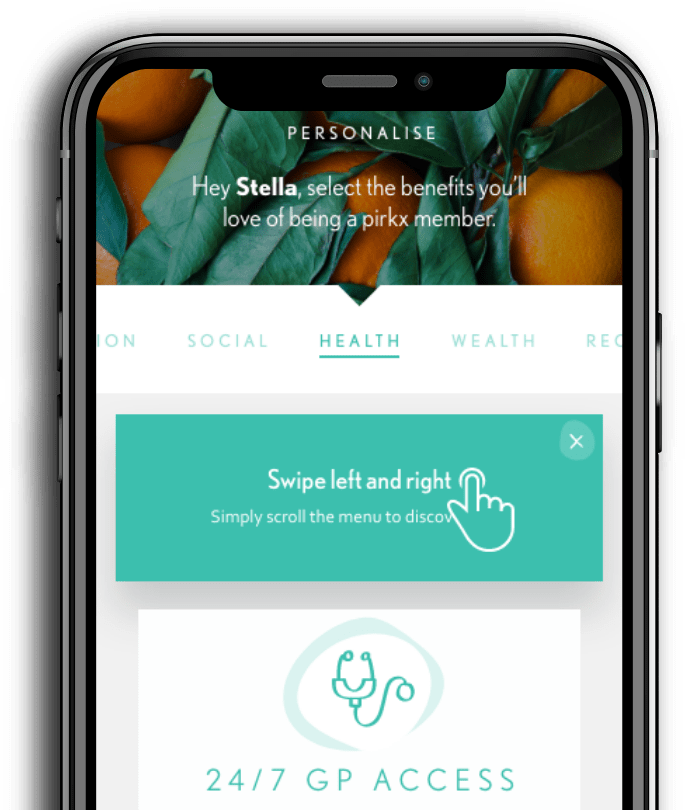
Now you can keep pirkx wherever you go, so you never miss the best deal and you’re always comforted by the services you value.
Open up to a world of benefits and resources.